
Mode 02 · Web Assist
One shortcut, answered on the page.
Press Cmd+Shift+Enter on any page. Dexly captures it, sends it to your local agent (Codex in this recording), and renders a copy-ready answer right on the page — no prompt typed.
Chrome side panel + your local coding agent
Turn live browser context into work for your local coding agent — Codex, OpenCode, DeepSeek Harness, or Cursor Agent. Act on what you see without manually copying page details into a prompt.
Pricing card with CTA, copy, and visual state.
See Dexly in action
Two modes, two shortcuts, no copy-paste. Each demo starts as it scrolls into view and pauses when it leaves.
Mode 02 · Web Assist
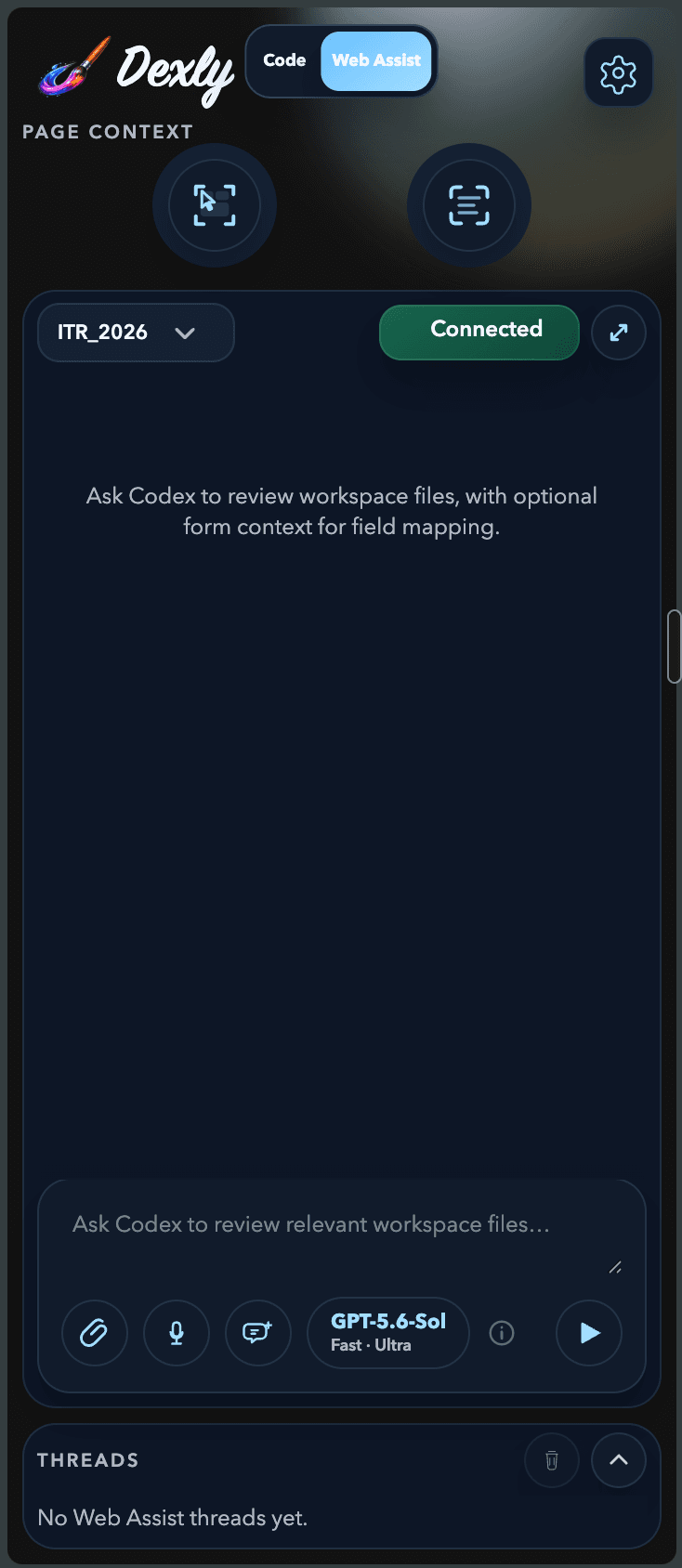
Press Cmd+Shift+Enter on any page. Dexly captures it, sends it to your local agent (Codex in this recording), and renders a copy-ready answer right on the page — no prompt typed.
Mode 01 · Code Assist
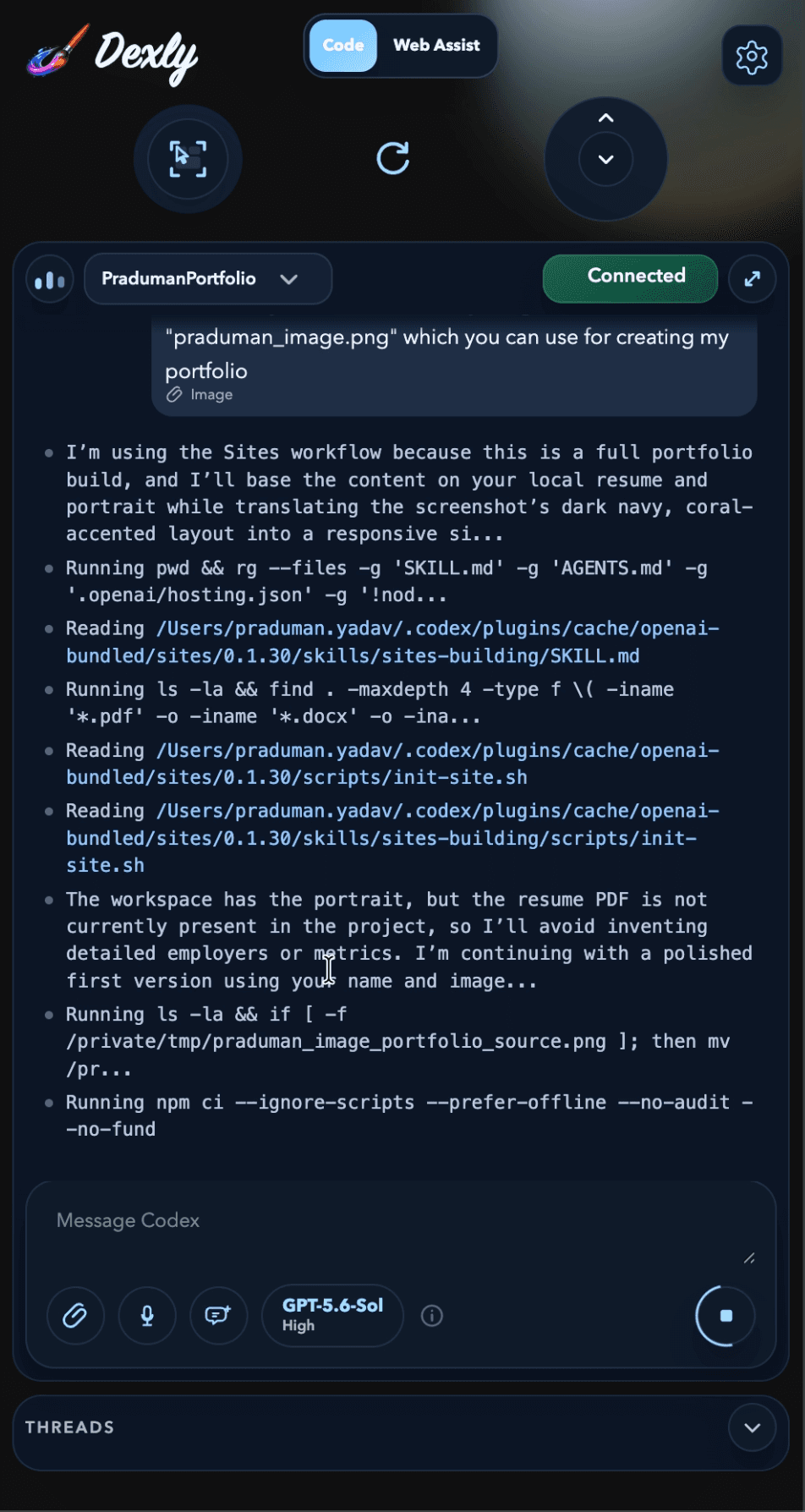
Select live page elements, attach screenshots or console and network evidence, and let your agent (Codex in this recording) edit your local workspace with approvals in view.
Use Cmd on macOS and Ctrl on Windows and Linux. Open Dexly on a page once to enable it there, then the shortcuts work with the side panel minimised.
Two focused modes
Capture the right context, keep the task local, and stay in one narrow side-panel workflow.
Mode 01
Select precise UI elements, attach scoped screenshots, and stream a browser-grounded task into your local workspace.
Mode 02
Ask read-only questions about a live page while your agent can review relevant local workspace files for grounded guidance. OpenCode, DeepSeek Harness, and Cursor run Web Assist in a separate read-only profile.
Bring your own agent
Choose the agent during setup, and pick a different one for Code Assist and Web Assist later in Settings. Every agent runs on your machine; Dexly's hosted backend never sees a prompt or learns which agent ran a task.
Default · app-server
OpenAI's Codex CLI over its app-server protocol. Dexly installs the pinned version after you confirm, and you sign in with your own ChatGPT account inside Codex.
Beta · ACP
Open-source coding agent over the Agent Client Protocol. Dexly Companion reuses a compatible install or installs the pinned runtime after you confirm.
Preview · ACP
DeepSeek's coding agent (dsh) over ACP, installed by Dexly Companion as an exact pinned package. Needs Node.js 22.19 or newer and your DeepSeek API key.
Preview · ACP
Cursor's CLI agent over ACP. You install cursor-agent and sign in from Dexly with one click; Dexly never downloads or updates the Cursor CLI.
Beta and Preview agents are labelled as such in the extension and can be paused independently through Dexly's rollout switches without affecting Codex.
Local-first by design
Prompts, screenshots, active page URLs and titles, selected browser page content, inspect and capture interaction data, local workspace files and paths, and your agent's thread history stay between the extension and your local agent — whether that is Codex, OpenCode, DeepSeek Harness, or Cursor Agent.
Workflow
Add Dexly to Chrome and keep it open beside the page you are working on.
Run npx -y @dexlyai/dexly install, then choose Codex, OpenCode, DeepSeek Harness, or Cursor Agent in the side panel. Dexly installs the pinned Codex, OpenCode, or DeepSeek runtime only after you confirm.
Select Code Assist or Web Assist, then capture only the page context your task needs.
Review the effective prompt, start the task, and follow approvals and output in the side panel.
Pricing
Extension features stay the same across plans. Only hosted limits and billing entitlements change.
Included
$0/month
Start with the complete local-first workflow and a 15-day unlimited trial for new accounts.
Flexible credits
One-time30-day pack
Add short-term headroom without moving to a recurring subscription.
Recurring access
Monthlysubscription
For people who use Dexly as part of their daily local coding-agent workflow.